NavIC Explained: Why You Cannot Install India’s Navigation System on Every Smartphone
- Technology
- (Asia/Kolkata)
New Delhi, October 31, 2026: India's indigenous satellite navigation system, NavIC (Navigation with Indian Constellation), is designed to provide location and navigation services across India and surrounding regions. However, many smartphone users remain unsure whether NavIC can be downloaded, installed or activated through a mobile application.
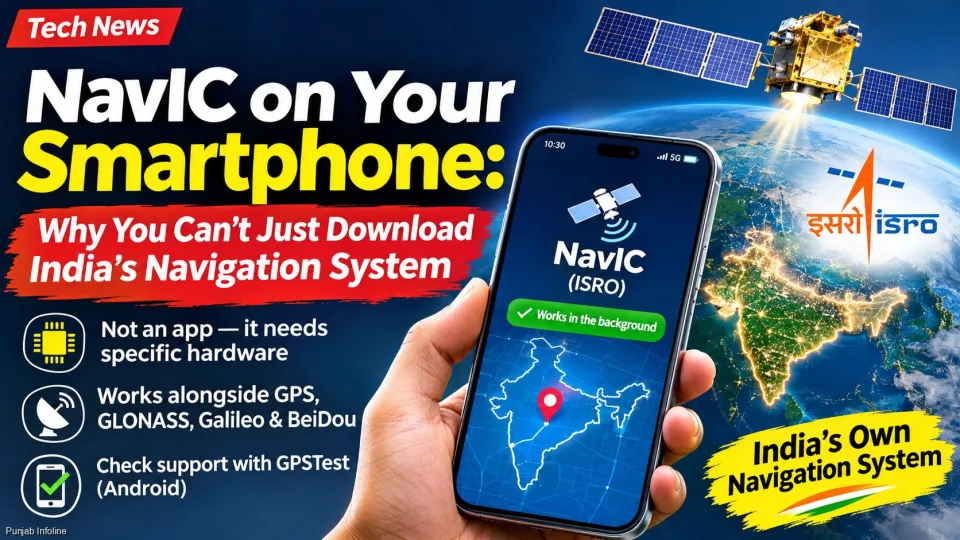
The answer is simple: NavIC cannot be installed like an ordinary smartphone app. A mobile phone must have compatible navigation hardware, along with the necessary firmware and software support, to receive signals from India's satellite navigation system.
What Is NavIC and How Does It Work?
NavIC, developed by the Indian Space Research Organisation (ISRO), is India's regional satellite navigation system. It provides positioning, navigation and timing services across India and an area extending approximately 1,500 kilometres beyond the country's borders.
The system works alongside other satellite navigation networks, including the United States' GPS, Russia's GLONASS, Europe's Galileo and China's BeiDou.
Smartphones equipped with compatible receivers can use signals from multiple satellite constellations to determine their location. Access to additional satellites can improve positioning reliability and, depending on conditions, accuracy.
Why Can't You Download NavIC on Your Smartphone?
Unlike Google Maps or other navigation applications, NavIC is not a mobile app. It is a satellite-based positioning system that requires compatible hardware inside the smartphone.
For NavIC to function, a device needs:
- Compatible GNSS chipset: A processor or satellite navigation receiver capable of processing NavIC signals.
- Supported frequency bands: Antenna and radio hardware designed to receive the relevant signals, particularly L5 and, on supported newer equipment, L1.
- Manufacturer integration: Appropriate firmware, drivers and operating-system support.
Several Qualcomm Snapdragon processors, including models from the Snapdragon 720G generation onward, and certain MediaTek chipsets support NavIC. However, compatibility depends on the exact chipset and smartphone implementation.
If a smartphone does not contain the necessary receiver hardware, downloading an APK or installing a software update cannot add that missing capability.
Does NavIC Work Automatically on Supported Phones?
Yes. On a smartphone with enabled NavIC support, the satellite receiver can use available NavIC signals when location services are operating.
Applications such as Google Maps, ride-hailing services and other location-based platforms normally obtain positioning information through the phone's operating system.
Users generally do not need to select NavIC separately or enable a special navigation setting.
However, having compatible hardware does not mean NavIC satellites will be used for every location calculation. Actual use depends on satellite visibility, signal quality and the device's positioning software.
How to Check NavIC Support on an Android Smartphone
Android users can check whether their phones detect NavIC satellites through satellite-testing applications such as GPSTest, developed by barbeauDev, or GNSSTest.
- Open the Google Play Store and install GPSTest or another suitable GNSS diagnostic application.
- Move outdoors to an area with a clear view of the sky.
- Enable location services and grant the application the required permission.
- Open the satellite information screen and allow the phone time to detect available satellites.
- Look for satellites identified as NavIC, IRNSS or the Indian satellite constellation.
On Android, NavIC/IRNSS is identified by GNSS constellation type 7. Some diagnostic applications may also display an Indian flag beside the relevant satellites.
If NavIC satellites appear, it indicates that the device is capable of detecting signals from the Indian navigation constellation.
Some applications also distinguish between satellites that are visible and those used in calculating the device's position. The exact symbols depend on the application.
Important: If no NavIC satellites appear during one test, that alone does not prove the phone lacks support. Satellite visibility, reception conditions and device software can affect the results.
Do Apple iPhones Support NavIC?
Apple introduced NavIC compatibility with certain iPhone 15 Pro models and expanded support in later generations.
Unlike Android, iOS generally does not provide ordinary third-party applications with the same detailed satellite information available through Android's GNSS diagnostic interfaces.
iPhone users should therefore check Apple's official technical specifications for their particular model to confirm NavIC compatibility.
Can NavIC Improve GPS Accuracy in India?
NavIC can complement GPS and other global satellite navigation systems by providing additional positioning signals in its coverage region.
Using signals from multiple constellations may help smartphones maintain more reliable location information, particularly when some satellites are obstructed or their signals are weak.
However, NavIC support does not automatically guarantee better accuracy in every situation. Performance also depends on the number of available satellites, receiver quality, surrounding buildings, atmospheric conditions and the phone's navigation software.
Why Is NavIC Important for India?
NavIC is an important part of India's indigenous space and navigation infrastructure. Developed by ISRO, the system provides the country with its own regional satellite positioning capability.
Its applications extend beyond smartphones to navigation, transportation, location-based services and other civilian and authorised uses.
The system also supports India's objective of reducing exclusive dependence on foreign satellite navigation networks.
NavIC's practical performance depends on the operational status of its satellites. When fewer satellites are available, standalone positioning capability may be limited, although compatible multi-GNSS receivers can continue using signals from other navigation systems.
Frequently Asked Questions (FAQs) About NavIC
1. Can I download NavIC on my Android phone?
No. NavIC requires compatible satellite navigation hardware. An Android application cannot add NavIC reception to a phone that lacks the necessary hardware.
2. Is NavIC available on the Google Play Store?
NavIC itself is not a downloadable application. However, diagnostic apps such as GPSTest can help users check whether their Android devices detect NavIC satellites.
3. How do I know whether my phone supports NavIC?
Check the manufacturer's technical specifications or use an Android GNSS diagnostic app outdoors to look for NavIC or IRNSS satellites.
4. Does NavIC work with Google Maps?
Yes. On compatible smartphones, NavIC signals can contribute to the device's location calculation, which Google Maps and other navigation applications can use through the operating system.
5. Is NavIC better than GPS?
NavIC provides regional coverage focused on India and surrounding areas, while GPS offers global coverage. Compatible devices can benefit from using both systems together rather than relying exclusively on either one.
6. Can older smartphones receive NavIC through a software update?
Only if the necessary receiver hardware is already present and software support can be enabled. A software update cannot add missing radio-frequency hardware.
7. Do iPhones support NavIC?
Yes, certain iPhone models support NavIC, beginning with selected iPhone 15 Pro models. Users should consult Apple's specifications for their particular device.
8. Does NavIC require mobile internet?
No. NavIC satellite signals can be received without mobile internet on compatible hardware. However, navigation apps may require internet access to download maps, traffic information or other online services.
9. Is NavIC free to use?
NavIC's civilian navigation signals are available without a separate subscription fee. Users still need a compatible receiver or smartphone.
10. How can I enable NavIC on my smartphone?
On supported smartphones, NavIC generally operates automatically through the device's location system. There is normally no separate NavIC switch for users to activate.
Conclusion
NavIC is India's own satellite navigation system, but it cannot be added to an unsupported smartphone simply by downloading an application.
Users who want to check compatibility should examine their phone's technical specifications or, on Android, use a GNSS satellite-testing application in an open outdoor location.
The key point is that NavIC support depends on smartphone hardware and manufacturer integration, not on installing a separate navigation app.